Integrations
Work in your own environment
Specscan is not a replacement for your systems. It is the layer that ensures communication, documents, and AI come together to make better project decisions. You continue to work in Microsoft Teams and SharePoint as you are used to. Specscan ensures that everything that happens there actually leads to overview, insight, and control before execution starts.
Integrations
Work in your own environment
Specscan is not a replacement for your systems. It is the layer that ensures communication, documents, and AI come together to make better project decisions. You continue to work in Microsoft Teams and SharePoint as you are used to. Specscan ensures that everything that happens there actually leads to overview, insight, and control before execution starts.
Integrations
Work in your own environment
Specscan is not a replacement for your systems. It is the layer that ensures communication, documents, and AI come together to make better project decisions. You continue to work in Microsoft Teams and SharePoint as you are used to. Specscan ensures that everything that happens there actually leads to overview, insight, and control before execution starts.
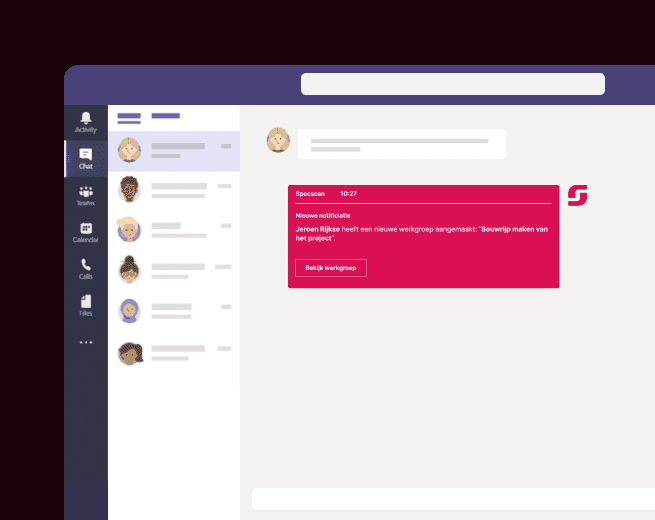
AI-supported collaboration in Microsoft Teams
In almost every project, quotes, drawings, and conditions are shared via Microsoft Teams. Discussions arise in chats. Choices are made in meetings. But over time, the coherence becomes unclear.
The integration between Specscan and Microsoft Teams ensures that AI collaborates within that existing partnership. When documents are shared, Specscan can immediately analyze them within the context of the project. Content is interpreted, deviations are detected, and connections between documents and discussions are maintained.
Teams remains the place where conversations take place.
Specscan ensures that the conversation leads to substantiated decisions.
Instead of separate communications, a structured project line emerges in which documents, consultations, and analyses remain interconnected.
AI-supported collaboration in Microsoft Teams
In almost every project, quotes, drawings, and conditions are shared via Microsoft Teams. Discussions arise in chats. Choices are made in meetings. But over time, the coherence becomes unclear.
The integration between Specscan and Microsoft Teams ensures that AI collaborates within that existing partnership. When documents are shared, Specscan can immediately analyze them within the context of the project. Content is interpreted, deviations are detected, and connections between documents and discussions are maintained.
Teams remains the place where conversations take place.
Specscan ensures that the conversation leads to substantiated decisions.
Instead of separate communications, a structured project line emerges in which documents, consultations, and analyses remain interconnected.
AI-supported collaboration in Microsoft Teams
In almost every project, quotes, drawings, and conditions are shared via Microsoft Teams. Discussions arise in chats. Choices are made in meetings. But over time, the coherence becomes unclear.
The integration between Specscan and Microsoft Teams ensures that AI collaborates within that existing partnership. When documents are shared, Specscan can immediately analyze them within the context of the project. Content is interpreted, deviations are detected, and connections between documents and discussions are maintained.
Teams remains the place where conversations take place.
Specscan ensures that the conversation leads to substantiated decisions.
Instead of separate communications, a structured project line emerges in which documents, consultations, and analyses remain interconnected.
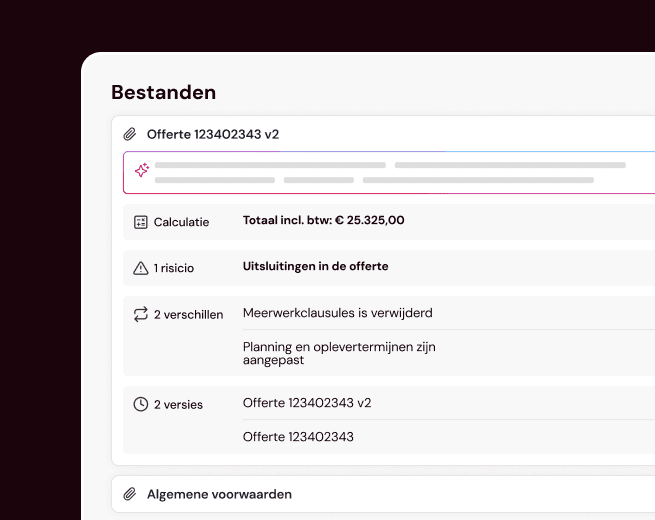
Directly connected to SharePoint
Project documentation belongs in SharePoint. There, specifications, revisions, contract documents, and technical descriptions are stored securely. You do not want to disrupt that structure.
Specscan connects directly to that.
Documents remain in SharePoint. As soon as they become part of a project, they are recognized and analyzed within Specscan. New versions are included in the assessment. Changes are made visible within the correct project context. Without duplicate storage. Without manual transfer.
This creates a continuous line from document management to content assessment. Not afterwards, but during the process.
Directly connected to SharePoint
Project documentation belongs in SharePoint. There, specifications, revisions, contract documents, and technical descriptions are stored securely. You do not want to disrupt that structure.
Specscan connects directly to that.
Documents remain in SharePoint. As soon as they become part of a project, they are recognized and analyzed within Specscan. New versions are included in the assessment. Changes are made visible within the correct project context. Without duplicate storage. Without manual transfer.
This creates a continuous line from document management to content assessment. Not afterwards, but during the process.
Directly connected to SharePoint
Project documentation belongs in SharePoint. There, specifications, revisions, contract documents, and technical descriptions are stored securely. You do not want to disrupt that structure.
Specscan connects directly to that.
Documents remain in SharePoint. As soon as they become part of a project, they are recognized and analyzed within Specscan. New versions are included in the assessment. Changes are made visible within the correct project context. Without duplicate storage. Without manual transfer.
This creates a continuous line from document management to content assessment. Not afterwards, but during the process.
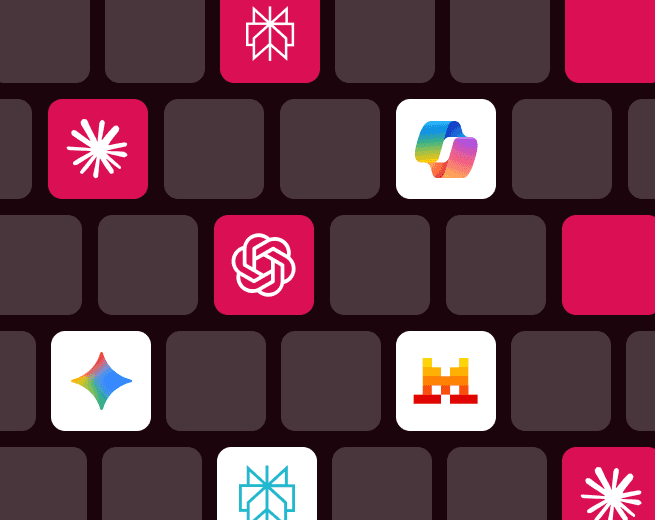
Link all AIs of your choice
Easily connect all AI tools of your choice to one central platform. Whether it's chatbots, data analysis, or automation, you seamlessly integrate various AIs so they work together within your existing workflows.
This way, you create one smart, flexible environment that grows with your organization and always meets your specific needs.
Link all AIs of your choice
Easily connect all AI tools of your choice to one central platform. Whether it's chatbots, data analysis, or automation, you seamlessly integrate various AIs so they work together within your existing workflows.
This way, you create one smart, flexible environment that grows with your organization and always meets your specific needs.
Link all AIs of your choice
Easily connect all AI tools of your choice to one central platform. Whether it's chatbots, data analysis, or automation, you seamlessly integrate various AIs so they work together within your existing workflows.
This way, you create one smart, flexible environment that grows with your organization and always meets your specific needs.
© 2026 Specscan
© 2026 Specscan
© 2026 Specscan